
yycode Quick Start Guide
Prerequisite: Install the Node.js Environment
Claude Code depends on the Node.js runtime. Please first follow the Node.js Environment Installation Guide to install and verify it.
Easier Option: Automatic Configuration
If you do not want to manually install tools and write configuration item by item, we recommend using the Automatic Configuration Tool directly.
1. Configure Claude Code
Step 1: Install Claude Code
npm install -g @anthropic-ai/claude-code
If you encounter permission issues on macOS / Linux, add sudo:
sudo npm install -g @anthropic-ai/claude-code
Verify the installation:
claude --version
Step 2: Create an API Key
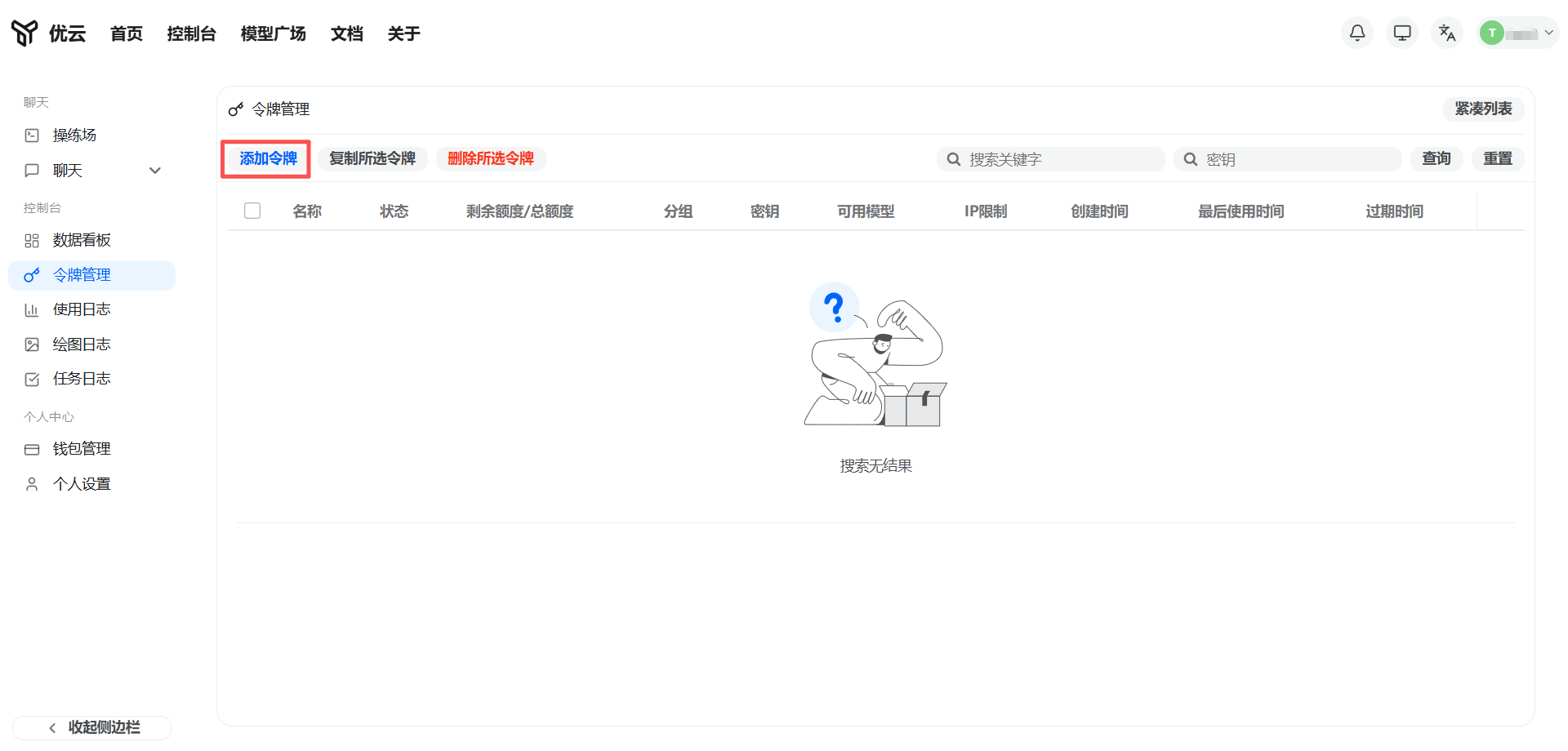
Log in to the yycode console, go to Token Management, and click Add Token.
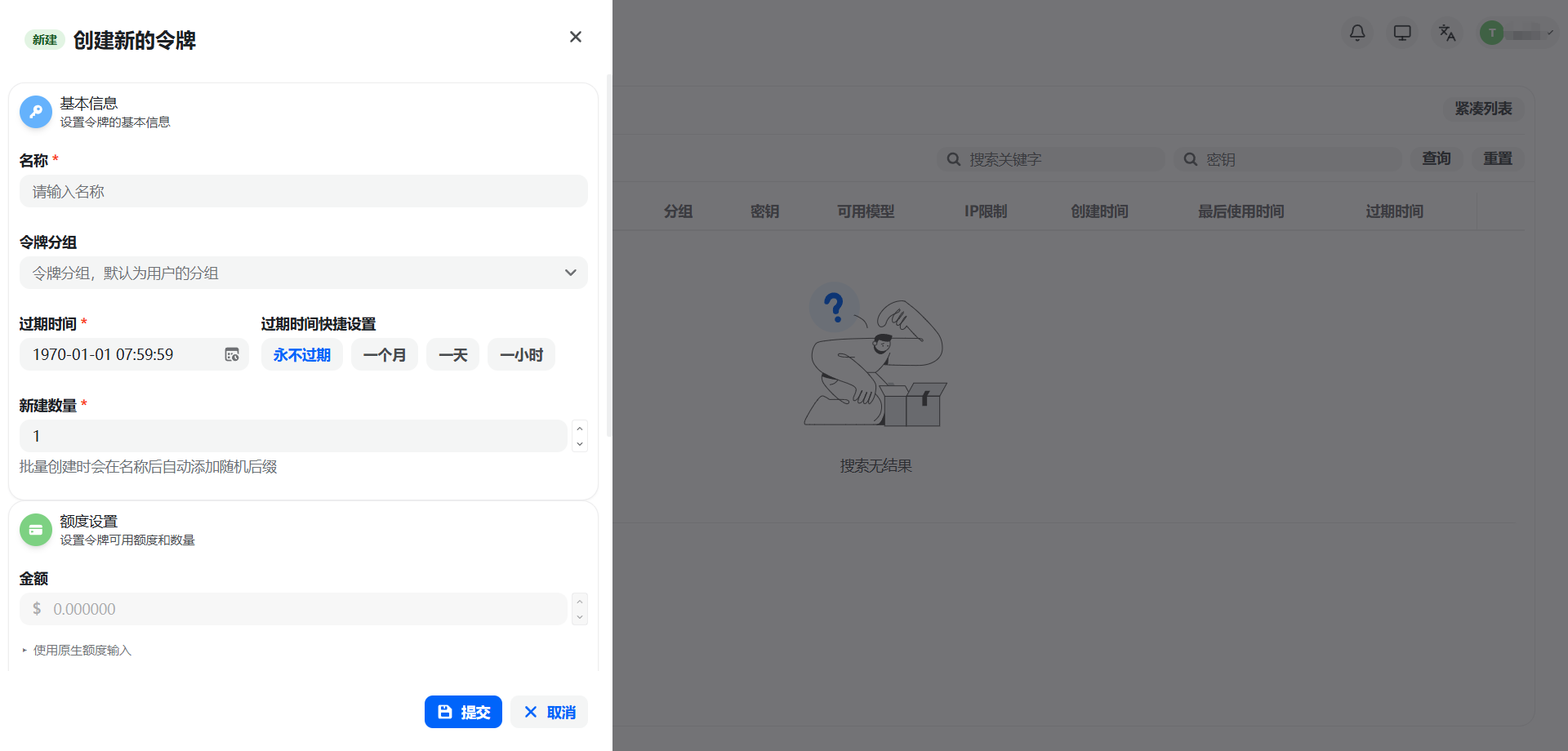
Enter a key name, select a group (model and multiplier), and optionally configure IP restrictions, quota limits, model restrictions, and expiration time. Beginners are advised to use the default settings.
Security note: An API Key is equivalent to account credentials. Keep it safe and never commit it to a code repository or share it publicly.
Step 3: Import the Key into Claude Code
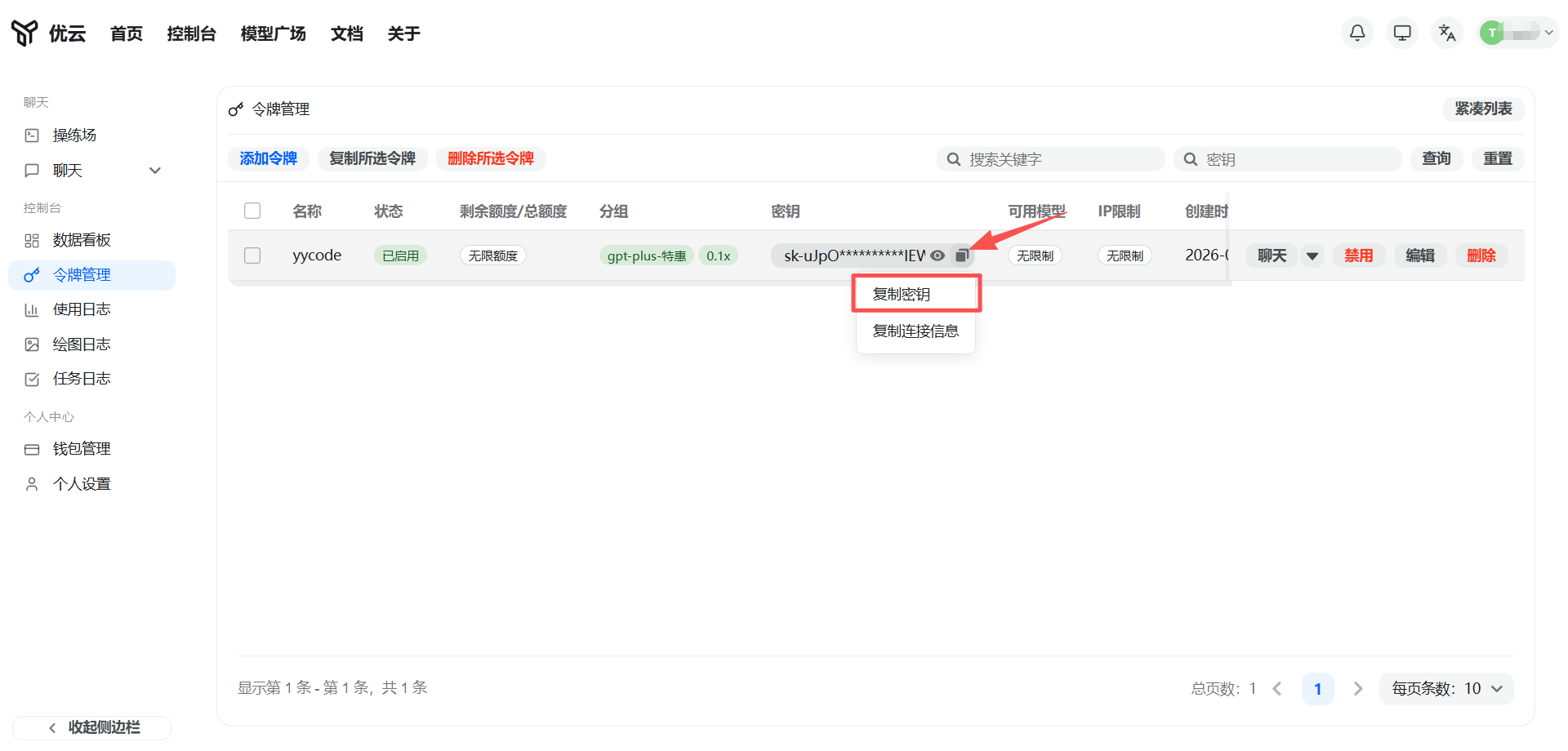
Click the Copy button next to the key to obtain the API Key.
You need to set the following two environment variables:
| Variable name | Value |
|---|---|
ANTHROPIC_BASE_URL |
https://yycode.net |
ANTHROPIC_AUTH_TOKEN |
Your API Key |
Temporary setup (valid for the current terminal session)
Windows (PowerShell):
$env:ANTHROPIC_BASE_URL = "https://yycode.net"
$env:ANTHROPIC_AUTH_TOKEN = "YOUR_API_KEY"
macOS / Linux:
export ANTHROPIC_BASE_URL="https://yycode.net"
export ANTHROPIC_AUTH_TOKEN="YOUR_API_KEY"
Persistent setup (still valid after restart)
Windows (PowerShell):
[System.Environment]::SetEnvironmentVariable("ANTHROPIC_BASE_URL", "https://yycode.net", [System.EnvironmentVariableTarget]::User)
[System.Environment]::SetEnvironmentVariable("ANTHROPIC_AUTH_TOKEN", "YOUR_API_KEY", [System.EnvironmentVariableTarget]::User)
macOS (Zsh):
echo 'export ANTHROPIC_BASE_URL="https://yycode.net"' >> ~/.zshrc
echo 'export ANTHROPIC_AUTH_TOKEN="YOUR_API_KEY"' >> ~/.zshrc
source ~/.zshrc
Linux (Bash):
echo 'export ANTHROPIC_BASE_URL="https://yycode.net"' >> ~/.bashrc
echo 'export ANTHROPIC_AUTH_TOKEN="YOUR_API_KEY"' >> ~/.bashrc
source ~/.bashrc
Step 4: Start Using
Enter any project directory and run:
claude
Claude Code will automatically analyze the code in the current directory and provide intelligent programming assistance.
FAQ
Q: npm install -g reports insufficient permissions. What should I do?
A: On macOS / Linux, add sudo before the command. On Windows, run PowerShell as Administrator.
Q: claude --version says the command does not exist.
A: Make sure the npm global directory has been added to the system PATH. You can run npm bin -g to view the path and add it manually.
Q: Connection failed or a 401 error is returned.
A: Check whether ANTHROPIC_BASE_URL is https://yycode.net, and whether ANTHROPIC_AUTH_TOKEN is correct and has not expired.
Q: How do I switch between different models or multipliers?
A: Create keys for different groups in the yycode console) and use CC Switch to switch quickly between multiple configurations.