Node.js Environment Installation Guide
Claude Code, Gemini CLI, Codex, and related tools all depend on the Node.js runtime. Please complete this step first.
Windows
Method 1: Official download (recommended)
Go to the Node.js official website to download the LTS version, then double-click the installer and follow the prompts to complete installation.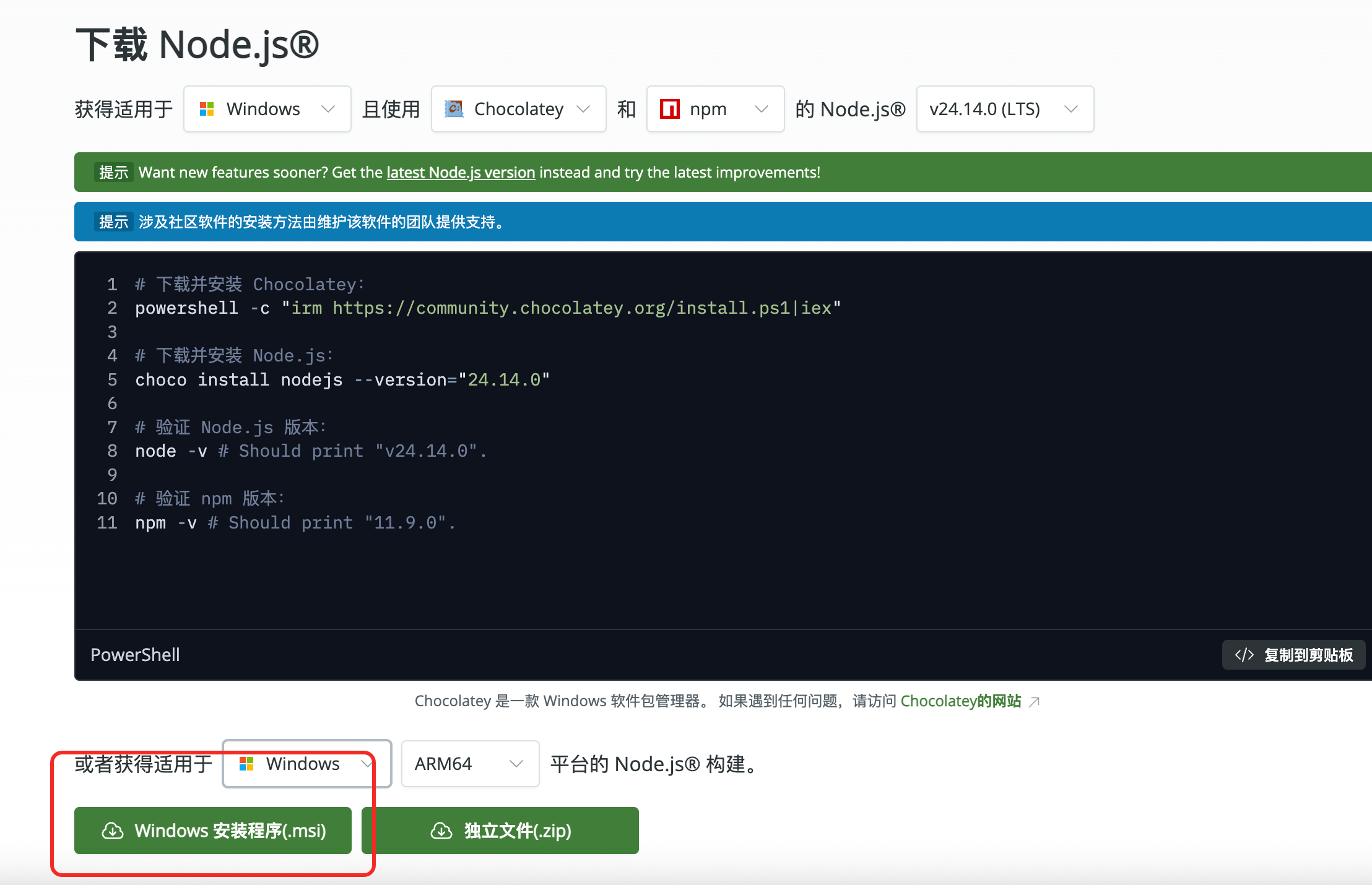
After downloading, keep clicking Next until installation is complete.Method 2: Use Chocolatey
choco install nodejs-ltsMethod 3: Use Scoop
scoop install nodejs-lts
macOS
- Method 1: Use Homebrew (recommended)
brew install node - Method 2: Official download
Go to the Node.js official website to download the macOS installer.
Linux
- Ubuntu / Debian
curl -fsSL https://deb.nodesource.com/setup_lts.x | sudo -E bash - sudo apt-get install -y nodejs - CentOS / RHEL
curl -fsSL https://rpm.nodesource.com/setup_lts.x | sudo bash -
sudo yum install -y nodejs
Verify the Installation
node --version
npm --version
If both commands output version numbers, the installation was successful.
Switch npm Registry Mirror (for environments without a proxy)
If dependency installation is slow or times out, run the following command to switch to a domestic mirror:
npm config set registry https://registry.npmmirror.com
Verify whether the switch succeeded:
npm config get registry
If the output is https://registry.npmmirror.com, it has taken effect.